✺ a creative OS

Unicorn

A creative OS that runs beside Claude Code and keeps the reasoning behind your work, so it doesn’t evaporate. Now a real desktop app.

type unicorn  ·  the hook prints  ·  the session is already listening

song • illusion by aether

what it is
✷ what it is

A creative OS. You build in the terminal; Unicorn holds the why.

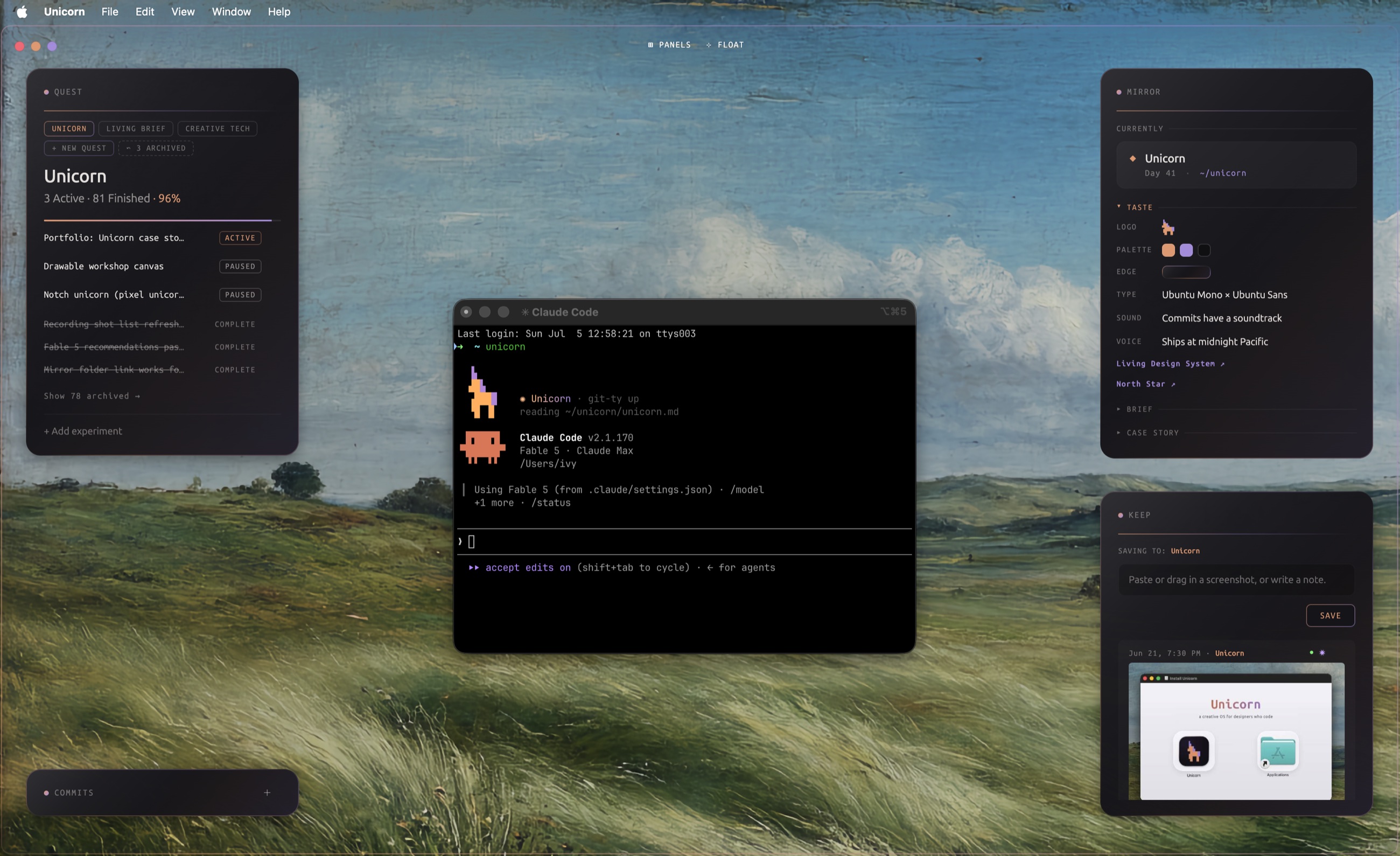
The Quest panel. Quest + experiments

The direction you are moving in, and the specific things you are trying inside it. It fills in automatically as you build, so the quest stays current on its own. The shape of the work, not a to do list.

The Keep panel. Keep

You catch the moments worth saving from a Claude Code session, text or image. This is the deliberate save, not the automated one. Drop it in and it stays tied to the quest.

The pixel unicorn the unicorn command prints at session start. The skill + the hook

A SessionStart hook means the agent reads your context the moment a terminal opens. It already knows where you were.

It’s a desktop app now. It writes everything to real files on your machine, and they survive. The agent reads and writes them as you work, then composes them into HTML you’d actually want to read, not raw notes to dig through. Local context both of you can see is the entire point, and the skill keeps it filled in while you build, so you’re not the one remembering to.

✤ the problem

Saving was never the problem. Pulling the right context is.

Claude Code already saves every session, so the record exists. But a transcript is everything at once, not the decision, the fix, or the sentence that finally landed. The signal is which moments matter, and pulling them back as context when you need them.

And the work moves too fast now to write it all up afterward. The storytelling has to happen while the work does. Unicorn catches the moments you choose as you build, so when you’re ready to share the thinking behind a project, the right pieces are already there.

Keep. A quick dictated note, composed into a clean HTML file you can actually read.
✦ the frame
Build for where the model is going, not where it is today.

Boris Cherny, creator of Claude Code. Watching his talk live at Claude Code’s 1st birthday, San Francisco.

Unicorn works, and it’s a real desktop app now. It catches the reasoning behind your work so it doesn’t evaporate. The next leap is the loop running fully on its own. The skill fills Unicorn in while I build, so I never stop to feed it. That part is still unfolding, and that is the exciting bit. Some of it will surprise me. I don’t fully know everything it unlocks yet, and not knowing is the job now.

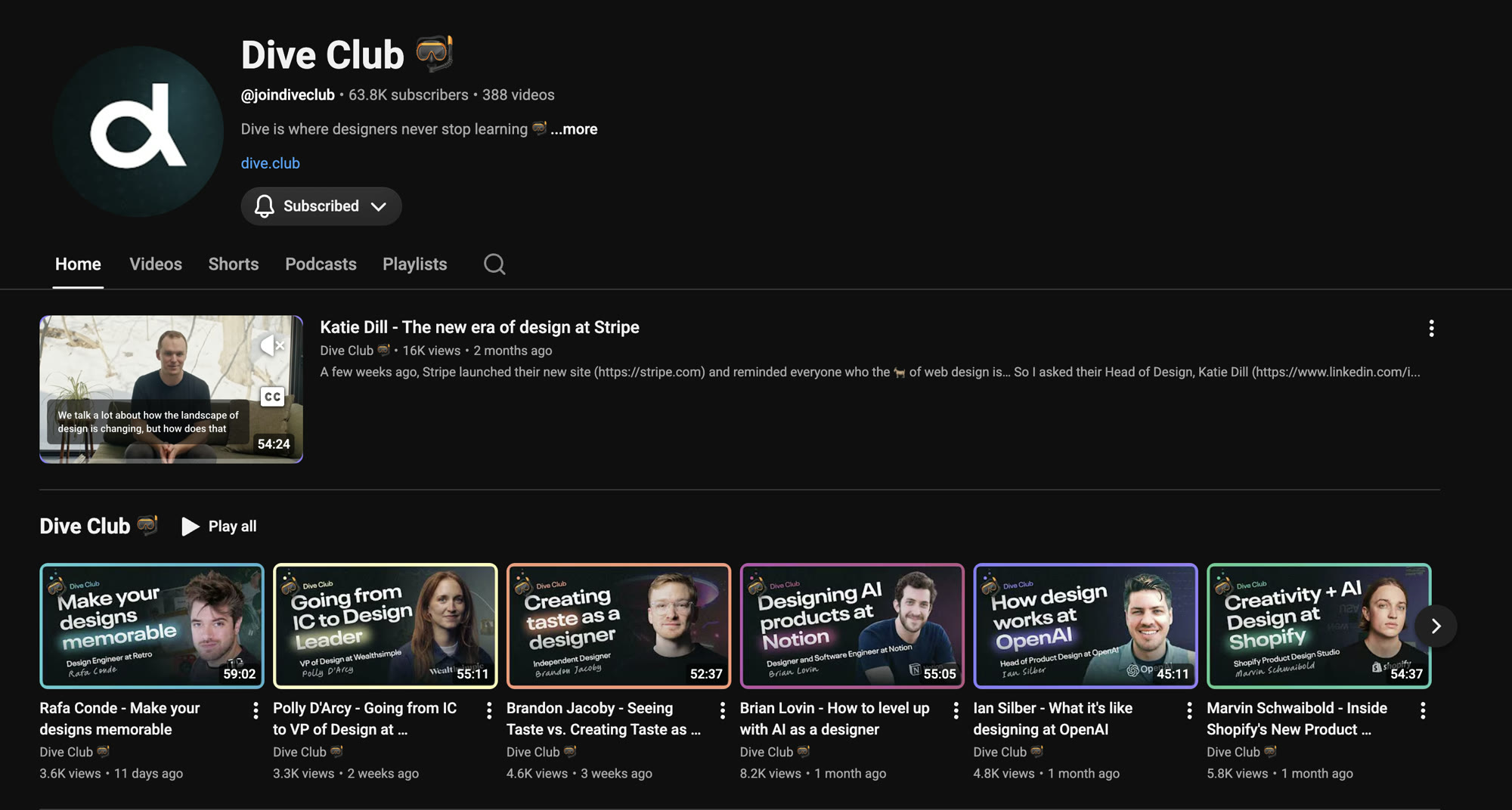
“I don’t know is now a superpower.”from a Dive Club episode

❀ the exploration

The role Unicorn is named after.

Design + engineer in one head.
The ultimate pragmatist.

I reached out on LinkedIn to Design Engineers who had been on the Dive Club. Four of them said yes. Each conversation gave me a real look at where Product Design is heading.

The Dive Club podcast, where the design engineers were reached.
dive club  ·  four interviews  ·  lightly edited for length, names withheld

A few of the takeaways:

“I keep a vault. I treat it as my long term memory. If you have worked with AI at all, you know context is the huge thing.”

One of them named the gap exactly: you end up building a separate memory brain for all the context. It will be a solved problem someday. It is not yet. That is what Unicorn keeps, and it keeps it while you build, so you are not digging for it later.

✺ the response

A mirror, not a dashboard.

Unicorn at rest. Quest, Taste, Keep, Commits and Activity in the corners, the Claude Code terminal in the center.

You never open it to check a number. The desktop app updates while you build. The panels live in the corners. The terminal stays in the center, where the work is.

Keep is what it is built around. What matters becomes files that live next to you, readable by you and by the agent next session.

  1. start

    A dashboard w/ a game in it.

    Unicorn’s language was cute, not sticky.

  2. cut

    The game came out.

    If it only entertained, it failed.

  3. reframe

    A mirror, not a dashboard.

    It accumulates while you build.

  4. center

    Keep became the point.

    Catch what matters. Route it.

  5. now

    Shipped as a desktop app.

    Real files on your machine. I use it daily.

preloader. it breathes in before it begins.
quest. you direct it; the skill fills it in as you build.
your real git history, played back as music
❖ what is promised next

It works now. Imagine it six months from now.

Testing pointed at one thing. It should fill itself in. You should not stop the work to feed it.

The skill and the SessionStart hook are the bridge. They write to a casestory.md as you build, so the story is captured as it happens. The desktop app closed the loop. From here it compounds: every model jump makes the same loop do more.

every session, the agent starts already knowing you
◆ where it is

What is shipped. What is next.

Shipped
  • A real macOS desktop app, packaged + installable
  • The terminal hook and SessionStart bridge
  • Quest, Keep, Taste, Commits, Activity
  • Real files on disk: keeps, briefs, data
  • Matured by subtraction
Now
  • The skill auto-filling Quest as you build
  • Brief → case story, composed from real work
  • This page, updated as it moves
Next
  • Context that survives every session
  • Sharing the work publicly
  • Whatever the next model unlocks

I’m still building. This is current progress kept as it happens.

open the live preview